Application Tips: How to Use Artificial Intelligence (AI) to Create Your Own Tattoo Designs
AI tools for automatic image and text generation are currently a hot topic across many industries. In the graphic design world, AI image generators like DALL·E 2 – which create images based on text prompts – are making headlines. These tools can also be used easily for brainstorming or creating full tattoo designs.
In this blog post, we show you:
- which tools are suitable for creating tattoo designs
- which prompts to use to get the best results
- which terms and styles work particularly well when generating tattoo designs
How Do I Use AI Tools to Create Tattoo Designs?
You can use AI image generators both for idea generation and for creating full subjects. In general, every generator works the same way: you describe the desired motif in a text field, and the tool creates image suggestions.
It’s important to describe both the motif and the desired style precisely. The generated images can then be further refined using editing tools. The final image can be downloaded as a PNG file and either edited further or uploaded directly to our webshop.
In principle, an image can be generated from any prompt, but the more precise your description, the closer the result will be to your vision.
A good structure for clear AI prompts is:
- Main subject (cat)
- Situation or environment (on a dark background)
- Action of the subject (listening to music with headphones)
- Desired framing (close-up of the face)
- Coloring / style (bold retro colors, synthwave style, 2D digital vector graphic)
This results in prompts such as:

Useful Terms for Creating Tattoo Designs with AI
We researched current tattoo trends, identified relevant styles, and tested them across different AI tools. Here are some prompt styles that work very well for describing your desired motif. Of course, there are countless other styles and prompt variations you can experiment with.
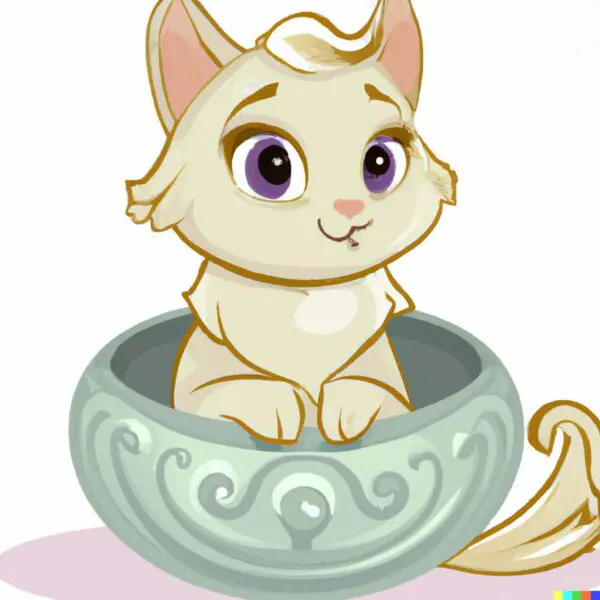
Vintage Disney Style
(little cat sitting in a bowl in vintage disney style)
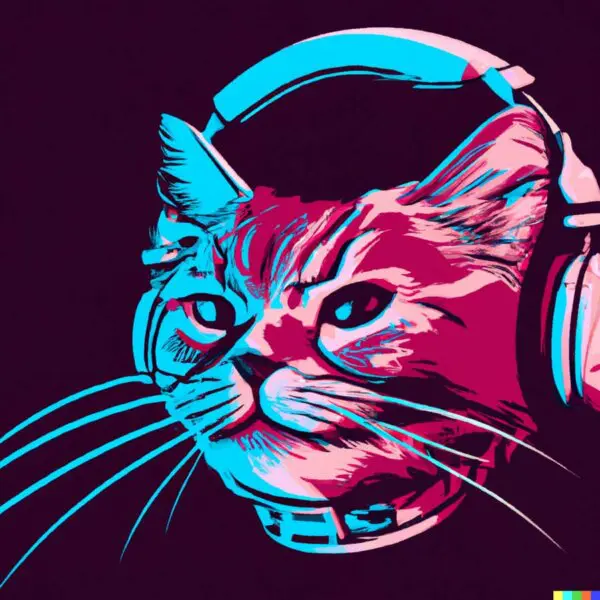
Vector Art
(a closeup of a cat face with headphones in retro
colors, synthwave style, 2d digital vector art)
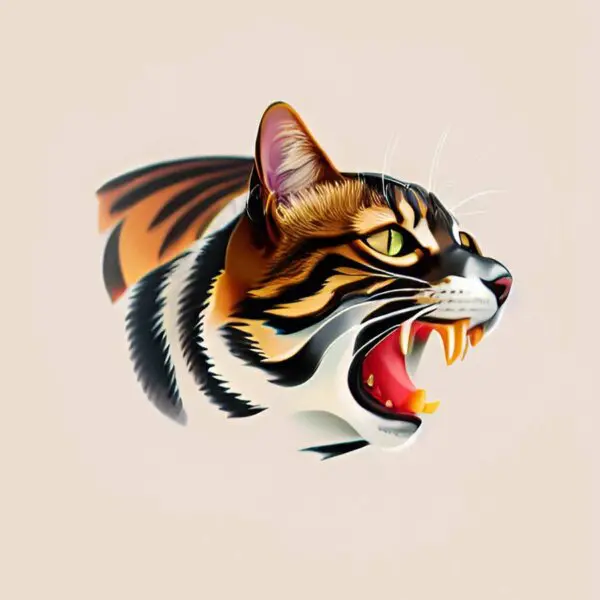
Oldschool Tattoo Style
(oldschool tattoo illustration of a cat)
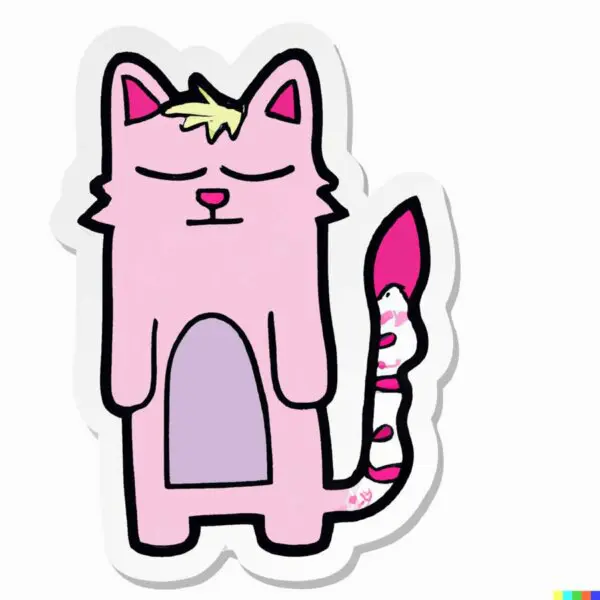
Sticker Illustration
(sticker illustration of a graffiti art cat)
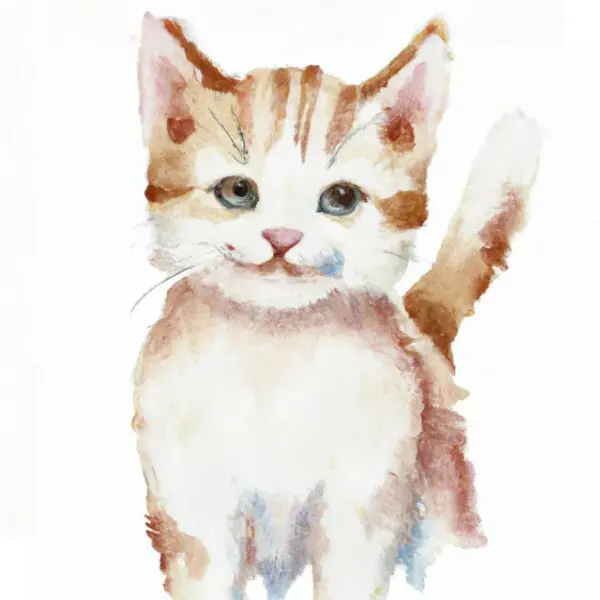
Wasserfarben-Illustration
(little cat watercolor illustration)
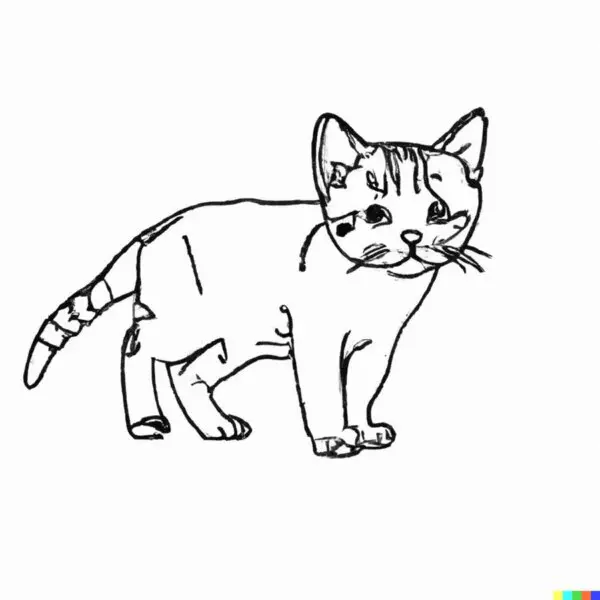
Finelinestyle
(little cat finelinestyle illustration)
To use the DALL·E 2 image generator, users must register on the OpenAI platform with their email address. In the first month, each user receives 50 free credits, and in every following month, 15 credits. One credit generates four image variations from a single text input. So the tool is essentially free to use. Additional credits can be purchased from OpenAI.
Dream by Wombo, on the other hand, offers an unlimited free basic version and a paid Pro version. With MidJourney, you can start with a free trial version, but after around 25 prompts, you must upgrade to a paid premium plan.
Important Points Before Using AI Tools
Is creating images with AI tools subject to a fee?
To use the DALL·E 2 image generator, users must register on the OpenAI platform with their email address. In the first month, each user receives 50 free credits, and in every following month, 15 credits. One credit generates four image variations from a single text prompt. So the tool is essentially free to use. Additional credits can be purchased from OpenAI.
Dream by Wombo offers an unlimited free basic version and a paid Pro version.
MidJourney offers a free trial version, but after approximately 25 prompts, users must upgrade to a paid premium version.
Who is the creator of AI-generated images?
With regard to the authorship of AI-generated images, it’s important to remember that all the tools mentioned are machine-learning models and do not make creative decisions. The model should therefore be considered a tool or instrument operated by the user.
The user who provides the input description can be seen as the creator of the idea or concept that the model visualizes. However, this interpretation of authorship may vary between legal jurisdictions. Details can be found on the Open AI Website.
Which AI Tools Exist for Creating Images?
Klassische Bildgeneratoren:
DALL·E 2
DALL·E 2 is an artificial intelligence model trained by OpenAI. It creates visual representations from text descriptions by generating corresponding images.
MidJourney:
MidJourney is another AI image generator that is currently used via a Discord chat interface. The beta version is still completely free.
Dream by Wombo:
Dream by Wombo works similarly to the other generators: you enter text prompts, and the tool produces images. The basic version is free, and a premium version offers additional features.
Stable Diffusion:
Stable Diffusion also works in the same way and is currently still fully free. It performs especially well when creating detailed images.
Tattoo Generator
The tattoo studio chain inklabs offers a free and easy way to create your dream tattoo using an AI tattoo generator. The process works via a WhatsApp chatbot, which asks for your preferred tattoo style, colors, and a short description of your idea. It then sends you four high-resolution motifs directly through WhatsApp.
We can then prepare these motifs as print-ready files for producing your temporary tattoos. And if you fall so in love with your design that you want it permanently on your skin, you can visit an inklabs studio 😉
Click here to access the AI tattoo generator
Conclusion
To sum up: AI can help you create highly creative tattoo designs. However, these tools only work effectively if you already have an idea and describe it properly in the input prompt. Creativity and concept development are still needed — but AI tools are a great help in the design process.
Professional Artwork Creation for Print Tattoo Designs
Need help creating your tattoo designs? No problem — contact us and we’ll provide a graphic service tailored to your individual tattoo project.
Get started and order your custom temporary tattoos!